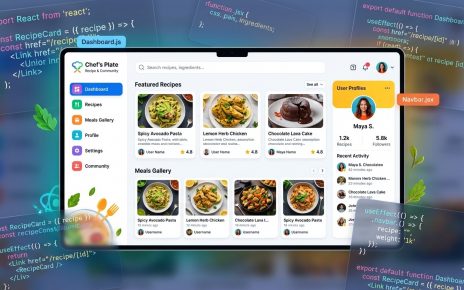
If you are learning React and want to understand how user interfaces are built using components, the React Profile App is a great beginner project. This GitHub repository demonstrates how to create a simple profile interface using React, allowing developers to practice component structure, styling, and basic state management.
You can view the project repository here:
👉 https://github.com/sf-co/2-react-profile-app
Projects like profile apps are commonly used in React learning because they help developers practice displaying structured data such as names, avatars, bios, and social links in reusable components.
Project Overview
The React Profile App is a small frontend application that displays a personal profile layout. The app typically includes information such as a profile picture, user name, description, and additional profile details.
The main goal of the project is to demonstrate how React components can be used to build reusable UI sections that update dynamically based on data.
This type of application is useful for understanding how modern frontend frameworks handle user interface rendering.
Key Features
Profile Display
The application displays user information including a profile photo, name, and short description.
Component-Based Layout
Different parts of the profile interface are separated into reusable React components.
Clean UI Structure
The layout is designed to present profile information in a clear and organized format.
Beginner Friendly Code
The project structure is simple and easy to understand, making it ideal for new React developers.
React Concepts Used
Components
React applications are built using reusable UI components. A profile app usually includes components like:
- Profile Card
- Avatar
- User Information
- Social Links
This modular structure makes it easier to maintain and scale the application.
Props
Data such as the user’s name, image, and description can be passed between components using props, allowing components to remain reusable.
State
React state can be used to manage dynamic profile data or UI interactions.
Dynamic Rendering
React automatically updates the UI when the underlying data changes, making applications more interactive.
Example Project Structure
A simple React profile project often follows a structure like this:
react-profile-app
│
├── public
│   └── index.html
│
├── src
│   ├── components
│   │   ├── Profile.js
│   │   ├── Avatar.js
│   │   └── UserInfo.js
│   │
│   ├── App.js
│   ├── index.js
│   └── styles.css
│
└── package.json
This structure keeps UI components separate from the main application logic, making development more organized.
How to Run the Project
Follow these steps to run the React Profile App locally.
1. Clone the Repository
git clone https://github.com/sf-co/2-react-profile-app.git
2. Open the Project Folder
cd 2-react-profile-app
3. Install Dependencies
npm install
4. Start the Development Server
npm start
After running the server, open the application in your browser:
http://localhost:3000