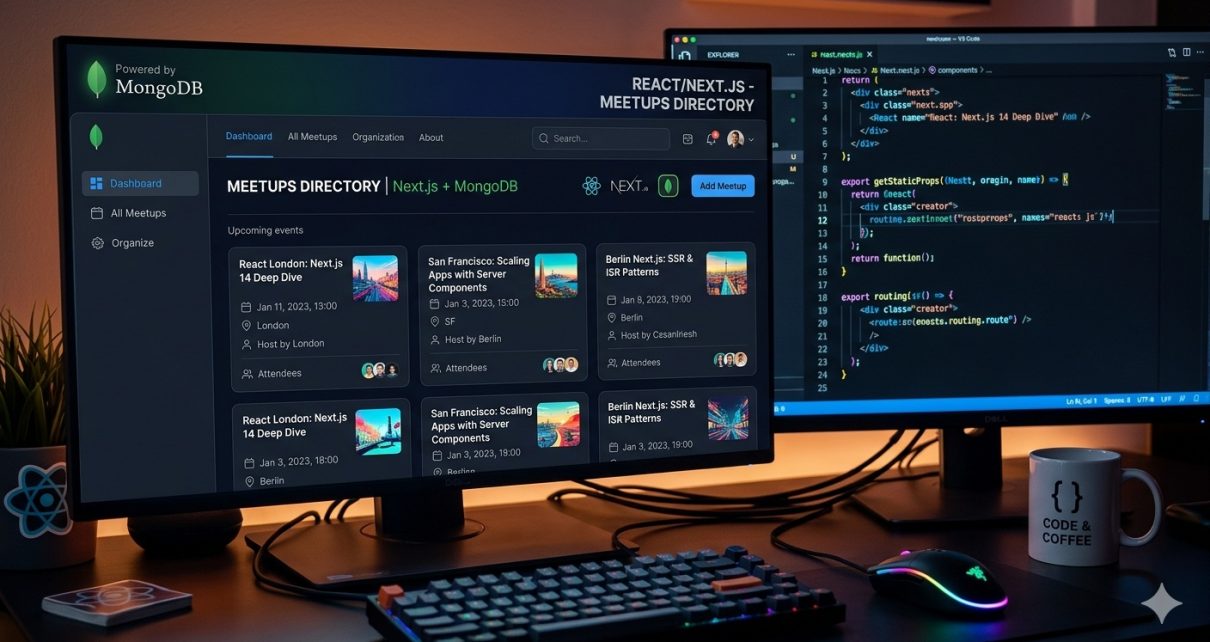
If you’ve ever wanted to build a real‑world directory app with modern frontend tooling, then the React Meetups Directory project is a perfect hands‑on example to learn from. This open‑source repository is a full‑stack web application built using Next.js 13, React 19, Node.js API routes, and MongoDB Atlas — giving you both server‑ and client‑side experience in one cohesive project.
In this blog post, you’ll discover what the project does, the technologies used, and most importantly, how you can run and use the project on your own development machine.
🧩 What Is the React Meetups Directory?
This application is a Meetup event directory built with the latest Next.js features. Users can:
- View a list of React meetups.
- Click on each meetup to see event details.
- Add new meetups through a form that posts data to a backend API.
The project demonstrates essential skills such as fetching data on the server, dynamic routing, and interacting with a cloud database — all within a practical app example.
🧪 Technologies Used
This project uses the following core technologies:
- Next.js 13 – A React framework for building fast, SEO‑friendly apps with both static and dynamic rendering.
- React 19 – The UI library powering components and interactive UI elements.
- Node.js API Routes – These power the backend REST endpoints for creating and retrieving meetup data.
- MongoDB Atlas – A cloud‑hosted NoSQL database to store your meetups securely.
- JavaScript (ES Modules) – The language used throughout the project.
- Static Site Generation with ISR – Boosts performance and search engine visibility.
📥 How to Clone & Setup the Project
Ready to get started? Follow these steps to spin up the project on your machine:
✅ Step 1 — Clone the Repository
Open a terminal and run:
git clone https://github.com/sf-co/13-react-nextjs-meetups-directory.git
Then change into the directory:
cd 13-react-nextjs-meetups-directory
✅ Step 2 — Install Dependencies
Make sure you have Node.js installed (v18+ recommended). Then install all the app dependencies:
npm install
or, if you prefer Yarn:
yarn install
✅ Step 3 — Configure Environment Variables
This project uses MongoDB Atlas. You’ll need to provide your database connection string.
Create a .env.local file at the root of the project with:
MONGODB_URI=your_mongodb_connection_string_here
Replace your_mongodb_connection_string_here with your actual MongoDB URI from Atlas.
✅ Step 4 — Run the Dev Server
Now start the Next.js development server:
npm run dev
or:
yarn dev
This will start the site on http://localhost:3000 by default — open it in your browser!
🧠 Features You’ll Explore
Once running, here’s what the app lets you do:
🔹 Browse Meetups
Meetups are displayed using Next.js pre‑rendering for high performance, powered by getStaticProps and incremental static regeneration — meaning the pages are fast and SEO‑friendly without losing dynamic content capability.
🔹 See Meetups Detail Pages
Each meetup has its own detail page with dynamic routing, showing information like title, description, and location.
🔹 Create New Meetups
You’ll find a working form that posts your data to a custom API built with Next.js API Routes — fully integrated with MongoDB.
🧑💻 Why This Project Matters
Many beginner developer projects focus only on frontend visuals. This one bridges frontend with real backend interactions, so you learn:
✔ Navigating complex folder structures in a modern React app
✔ Using Next.js features (static generation, dynamic routes, metadata with next/head)
✔ Integration with a real cloud database
✔ How to handle form submissions and API endpoints in the same app
This gives you hands‑on experience that’s immediately useful for full‑stack roles.
📝 Pro Tips for Customization
Here are a few suggestions for taking the project further:
- Add authentication (e.g., with NextAuth.js or Clerk).
- Introduce filtering and search for meetups.
- Add social sharing for each event.
- Enhance the UI with Tailwind CSS or Chakra UI.
- Deploy it to platforms like Vercel or Netlify for hosting.
📦 Deployment
When you’re ready to go live, simply:
- Configure your production MongoDB Atlas database.
- Set environment variables (e.g., in Vercel dashboard if deploying there).
- Deploy the app with
vercelornpm run build&npm start.
It’s straightforward thanks to Next.js’ built‑in hosting compatibility.
📣 Conclusion
The React Meetups Directory is an excellent hands‑on project that helps you go beyond tutorial basics and build a real full‑stack app with modern tools like Next.js, MongoDB, and React.
Whether you’re a budding full‑stack developer or preparing your portfolio, this project equips you with valuable experience you can show off to potential employers — and it’s fun to build!