Communication is one of the most essential skills in today’s professional world. Whether you’re presenting ideas to a team, writing reports for stakeholders, or designing presentations for clients, effective communication determines how well your ideas are understood and implemented.
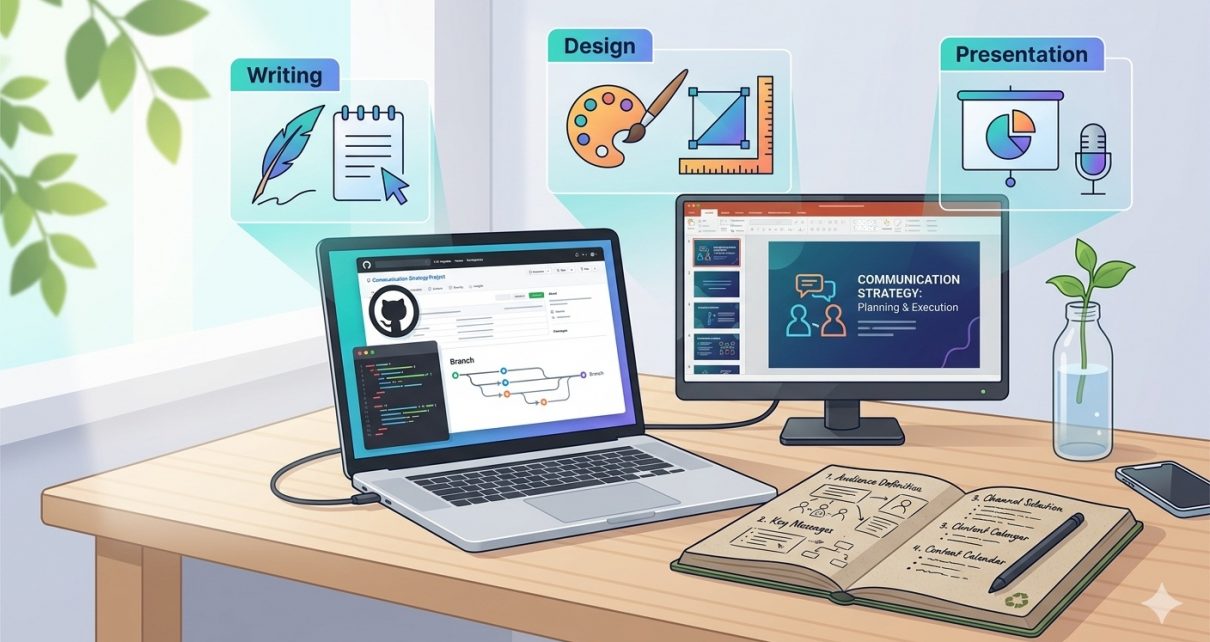
The Effective Communication Capstone Project hosted in the GitHub repository provides a practical approach to mastering three core communication skills: writing, visual design, and presentations. The project is designed to help learners apply theoretical communication principles into real-world scenarios by building a structured portfolio of communication artifacts.
This blog explores the purpose of the project, the technologies used, the workflow behind it, and step-by-step instructions on how to use the repository.
Overview of the Capstone Project
The capstone project focuses on integrating multiple communication disciplines into a single deliverable. Instead of learning writing, design, and presentation separately, the project requires participants to combine them into a cohesive communication portfolio.
The final output typically includes:
- A professional written memo
- A slide deck designed for visual storytelling
- A presentation explaining the core idea
Together, these elements help demonstrate how effectively someone can communicate a concept across multiple formats. This capstone approach mirrors professional environments where written documents, visuals, and presentations work together to convey information.
The GitHub repository acts as a structured workspace where learners can organize project resources, documentation, and presentation materials.
Project Goals
The project is designed with several learning goals in mind:
- Improve professional writing skills
Learners develop clear and concise written communication suitable for business environments. - Develop visual design skills
Participants learn to create engaging slide decks that visually communicate ideas. - Build presentation confidence
The final presentation demonstrates how effectively a learner can communicate a message to an audience. - Create a communication portfolio
The combination of memo, slides, and presentation creates a showcase of professional communication skills.
These goals reflect modern workplace expectations where professionals must communicate ideas clearly across multiple mediums.
Project Workflow
The repository follows a simple yet effective workflow that mirrors real-world communication project development.
1. Topic Selection
First, choose a topic that you want to communicate about. This could be:
- A business idea
- A social initiative
- A technical concept
- A research topic
The topic should be meaningful and relevant to your audience.
2. Writing the Memo
The memo acts as the foundation of the project.
In this step you:
- Define the problem or topic
- Explain the purpose
- Present supporting arguments
- Provide clear recommendations or conclusions
This step focuses heavily on clarity, structure, and professional tone.
3. Designing the Slides
Once the written memo is complete, the next step is to transform the key ideas into a visual presentation format.
Key considerations include:
- Clear slide hierarchy
- Minimal text
- Effective use of visuals
- Consistent color schemes
- Readable typography
The slides should support the presentation rather than duplicate the memo content.
4. Creating the Presentation
The final step is the verbal presentation.
In this stage you:
- Present the key message from your memo
- Use slides to reinforce your message
- Demonstrate storytelling and engagement
- Deliver your ideas confidently
This stage combines both written and visual communication skills.
Technologies Used in the Project
The GitHub project leverages simple but powerful tools that are commonly used in professional environments.
1. GitHub
GitHub serves as the central platform for:
- Project hosting
- Version control
- Documentation
- Collaboration
Using GitHub ensures that all project materials are organized and accessible.
2. Markdown
Markdown is used for documentation inside the repository.
It allows you to easily create:
- Project descriptions
- Guides
- Structured documentation
Markdown keeps the documentation readable and clean.
3. Presentation Tools
Presentation slides can be created using tools such as:
- PowerPoint
- Google Slides
- Canva
- Keynote
These tools help transform written ideas into visual storytelling.
4. Documentation and Writing Tools
Professional writing tools help produce high-quality memos.
Examples include:
- Google Docs
- Microsoft Word
- Notion
These tools assist with editing, formatting, and collaboration.
How to Use the Project (Step-by-Step)
Follow these steps to start using the repository.
Step 1: Clone the Repository
Download the project from GitHub.
git clone https://github.com/sf-co/9-pm-capstone-project-effective-communication-writing-design-presentation
Step 2: Explore the Repository Structure
Inside the project folder you will find:
- Project documentation
- Templates
- Example files
- Instructions
Review these resources before starting your work.
Step 3: Choose Your Topic
Select a communication topic you want to build your project around.
Examples include:
- A product proposal
- A social impact initiative
- A business improvement strategy
Step 4: Write Your Memo
Create your professional memo including:
- Problem statement
- Supporting arguments
- Recommendations
Ensure the writing is concise and clear.
Step 5: Design Your Slides
Transform the memo into a visual slide presentation.
Focus on:
- Key points
- Visual storytelling
- Clean design
Step 6: Record or Deliver the Presentation
Use the slides to present your topic.
You can either:
- Record a presentation video
- Deliver a live presentation
Step 7: Commit and Push Your Work
Once your work is complete, push it to GitHub.
git add .
git commit -m "Completed capstone project"
git push
This step ensures your project is properly stored and version-controlled.
Why This Project Matters
The Effective Communication Capstone Project is more than just a course assignment. It mirrors real-world professional tasks where ideas must be communicated through writing, visuals, and presentations.
By completing this project, learners gain:
- A practical communication portfolio
- Hands-on experience with professional documentation
- Confidence in presenting ideas clearly
In an era where communication skills are just as important as technical expertise, projects like this help bridge the gap between knowledge and effective expression.
✅ GitHub Repository:
https://github.com/sf-co/9-pm-capstone-project-effective-communication-writing-design-presentation